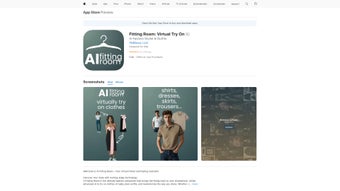

Download Fitting Room – AI‑Powered Virtual Try‑On, Outfit Planner & Secure Fashion Tool
Overview
Fitting Room is a cutting‑edge, web‑based fashion application that completely reshapes the online shopping experience. By fusing artificial intelligence (AI) with augmented reality (AR), the platform delivers a realistic, real‑time virtual try‑on that lets users see how garments drape on their own bodies without ever stepping into a physical fitting room. The AI engine scans a single, well‑lit full‑body photo, creates a precise 3‑D model, and then maps each clothing item onto that model with fabric‑aware physics, ensuring that stretch, flow, and fit are rendered accurately.
This technology dramatically reduces the guesswork that traditionally leads to high return rates, giving shoppers the confidence to purchase the right size the first time. Beyond the core try‑on, Fitting Room includes an intelligent Outfit Planner that pulls items from a personal digital closet, suggests complementary pieces based on style preferences, weather conditions, and upcoming events, and even creates complete looks with accessories. The platform is designed for fashion enthusiasts who love experimenting with new looks, as well as everyday consumers who simply want a hassle‑free way to verify size, fit, and style before clicking “Buy.” A free tier provides essential functionality, while a premium subscription unlocks unlimited try‑ons, priority AI rendering, exclusive premium fabrics, and personalized style advice from professional stylists.
Delivered through a secure, fast‑loading web interface, Fitting Room works flawlessly on desktop browsers and mobile devices alike, supporting Windows PCs, macOS computers, Android smartphones, and iOS tablets. By making virtual fitting both accurate and enjoyable, Fitting Room helps shoppers shop smarter, reduce waste, and stay ahead of fashion trends.
Key Features & Capabilities
- AI‑Powered Virtual Try‑On: Real‑time body scanning and fabric simulation for highly accurate fit visualization.
- Augmented Reality Overlay: Live camera feed overlay that lets you see garments on yourself in your own environment.
- Smart Outfit Planner: Automatic mix‑and‑match of items from your digital closet to create personalized looks.
- Style Recommendations: Machine‑learning suggestions based on purchase history, body shape, and current trends.
- Premium Unlimited Access: Remove limits on the number of try‑ons, unlock premium fabrics, and receive priority rendering speed.
- Secure Cloud Closet: Encrypted storage for photos of favorite pieces, past purchases, and wish‑list items.
- Cross‑Platform Support: Fully responsive web app works on Windows, macOS, Android, and iOS via any modern browser.
- Return Reduction Analytics: Fit‑confidence scoring system helps retailers lower return percentages.
- One‑Click Purchase Integration: Seamless connection to popular e‑commerce platforms for instant checkout.
- Regular Free Updates: Continuous delivery of new features, bug fixes, and up‑to‑date fashion data.
Installation, Usage & Compatibility
Getting started with Fitting Room is intentionally straightforward, designed to take you from “download” to “try‑on” in just a few minutes. Because the solution is web‑based, there is no traditional installer. Simply visit the official website, click the prominent “Get Started – Free” button, and create a secure account using an email address or a social login (Google, Apple, or Facebook). After confirming your email, you are directed to a clean dashboard where you can immediately begin uploading photos of yourself. For optimal accuracy, the platform recommends a well‑lit, full‑body image taken against a plain background; the AI processes the photo in under 30 seconds, generating a precise 3‑D body model that respects your exact measurements.
Fitting Room runs on any modern operating system that supports up‑to‑date browsers. Desktop users should use Google Chrome (v92+), Mozilla Firefox (v90+), Microsoft Edge (Chromium‑based, v92+), or Apple Safari (v14+). Mobile users on Android 9.0 (Pie) or later, and iOS 13 or later, will enjoy full functionality, including live camera overlay for virtual try‑ons.
The platform leverages WebGL and WebRTC technologies, so a graphics‑accelerated device is recommended for the smoothest AR experience. Minimum hardware specifications include a dual‑core CPU, 4 GB RAM, and a GPU that supports OpenGL ES 3.0 or higher. A stable internet connection (minimum 5 Mbps) is required for real‑time processing; slower connections will still allow catalog browsing but will limit AI rendering and AR features.
All personal data—including photos, measurements, and style preferences—are stored in an encrypted cloud environment that complies with GDPR and CCPA, giving users full control over data deletion at any time from the account settings.
Once your model is ready, you can browse the integrated catalog of partnered retailers or upload your own clothing images. Each garment is automatically mapped to your body model, allowing you to rotate, zoom, and view the item from every angle. The Outfit Planner works similarly—select any piece from your digital closet, click “Create Outfit,” and the AI will suggest complementary tops, bottoms, shoes, and accessories.
You can fine‑tune each suggestion by swapping items, adjusting colors, or applying style filters (e.g., “Casual Friday” or “Evening Glam”). When satisfied, the “Buy Now” button redirects you to the retailer’s checkout page, preserving all sizing and style choices. Premium users enjoy a dedicated “Unlimited Try‑On” tab where they can experiment with as many outfits as they wish, plus access to exclusive style guides and priority rendering queues that reduce wait times to under five seconds.
Throughout the process, the app provides helpful tooltips, video tutorials, and a live‑chat support channel to answer any questions in real time.
Pros, Cons & Frequently Asked Questions
Pros
- Highly accurate AI‑driven fit simulation reduces the risk of size‑related returns.
- AR overlay lets users see garments on themselves in real time, enhancing confidence.
- Smart Outfit Planner saves time by automatically generating stylish combinations.
- Cross‑platform support ensures a seamless experience on Windows, Mac, Android, and iOS.
- Secure cloud storage protects personal data and makes the closet accessible anywhere.
- Free tier provides core functionality; premium upgrade adds unlimited try‑ons and exclusive content.
- Regular free updates keep the software current with the latest fashion trends and tech improvements.
- One‑click purchase integration streamlines the buying process.
- Return‑reduction analytics help retailers lower costly return rates.
- Intuitive UI with tooltips, video guides, and live chat support.
Cons
- Requires a stable internet connection; offline usage is not supported.
- Initial body‑scan photo must meet lighting and background guidelines for optimal accuracy.
- Premium subscription is required for unlimited try‑ons, which may be a barrier for occasional shoppers.
- Advanced AR features may lag on low‑end devices without dedicated graphics acceleration.
- Currently limited to partnered retailers; some boutique brands may not be represented.
- Learning curve for first‑time users unfamiliar with 3‑D body modeling.
Frequently Asked Questions
How does the virtual try‑on technology work?
Fitting Room combines AI‑based body scanning with AR overlay. After you upload a full‑body photo, the AI creates a detailed 3‑D model of your shape. The system then maps garment patterns onto that model, simulating fabric behavior. The AR layer projects the clothing onto your live camera feed, letting you see how the piece moves with you in real time.
Is my personal data safe?
Yes. All images, measurements, and style preferences are stored in an encrypted cloud vault that complies with GDPR and CCPA regulations. You can delete any data from your account settings at any time.
Can I use Fitting Room on a mobile device?
Absolutely. The web app is fully responsive and works on Android 9.0+ and iOS 13+. You can access the AR try‑on directly through your mobile browser, using the device camera for live overlays.
Do I need to install any software?
No. Fitting Room is a web‑based solution, so you only need a compatible browser. Simply sign up on the website, and the application loads instantly without any downloads.
What is included in the premium subscription?
Premium members receive unlimited virtual try‑ons, priority rendering (faster load times), access to exclusive premium fabrics, advanced style recommendations from professional stylists, ad‑free navigation, and early access to new features.
Conclusion & Call to Action
Fitting Room stands out as a powerful, user‑friendly solution for anyone who wants to shop for clothes online with confidence. By harnessing AI and AR, it eliminates the biggest pain point of e‑commerce—uncertainty about fit—while adding a fun, creative layer through its Outfit Planner. The free tier offers enough functionality for casual shoppers, and the premium upgrade delivers a truly limitless experience for fashion aficionados.
Compatibility across all major operating systems and browsers ensures that no matter what device you prefer, you can access the same high‑quality virtual fitting experience. Security is taken seriously, with encrypted cloud storage and compliance with major privacy regulations. While the need for a stable internet connection and a modest learning curve for the initial body scan are minor drawbacks, they are far outweighed by the benefits of reduced returns, saved time, and a more sustainable shopping habit.
If you’re ready to try on clothes without ever leaving your home, click the button below to create your free account, explore the virtual wardrobe, and discover how effortless online fashion can be.



.png)



